Showing posts with label Easter. Show all posts

Happy Easter 2017


Tube of choice i used Verymany. Spring Bouquet.
You need a licence to use this art, you can purchase one HERE.
FTU.Bitzy Beez Spring into Easter. Thanks Babs for sharing. HERE.
BBD_Mask_167. Thanks Babs for sharing. HERE.
Font of choice i used Alex Brush.
Drop shaddow throughout.2.2.50.5. Black.
File new 650 x 650. Fill with white.
Copy and paste Paper18.as new layer.
Mask new from image, select and apply mask, merge mask visable.
Resize Frame8.by65. Rotate 90% right.
Magic wand, click inside frame, modify exspand by5.
Copy and paste Paper10. as new layer, invert, delete.
Drag below frame. Select none. Drop shaddow frame.
Resize full tube by50. Paste as new layer on top bottom center of frame. Drop shaddow.
Resize Sie_Bunnyeggs_1. by 35. Paste as new layer on top bottom left of tag.Sharpen, drop shaddow.
Resize Sie_Candy_1. Paste as new layer on top bottom center of mask. Drop shaddow.
Resize Sie_Chick by20.Paste as new layer on top right of candy. Drop shaddow.
Resize Sie_Chick by30.Paste as new layer on top center left of frame.Sharpen, drop shaddow.
Resize Sie_Wordart_1. by45. Paste as new layer on top center of mask.Sharpen, Drop shaddow.
Resize Sie_Bunny_1.by25.Paste as new layer on top right of frame.Sharpen, drop shaddow.
Resize Sie_Butterfly_3.by35.Paste as new layer on top left of mask.Sharpen,drop shaddow.
Resize Sie_Flower_1.by20.Paste as new layer below left of burrterfly,Drop shaddow.
Resize_Sie_4.by15.Paste as new layer on top bottom right of flowe1.Drop shaddow.
Add URL, Copyright and licence number.
Add name on top bottom right of mask. Drop shaddow.
Delete white background, save as PNG.
Hope you enjoy doing my tut, thanks for trying it.

http://www.copyrighted.com/

Easter Fairy


Tube of choice i used Flodorova_Marie.
You need a licence to use this art, you can purchase one HERE.
PTU.Starry Night Designz.Easter's On It's Way. HERE.
BBD_Mask_253.Thanks babs for sharing. HERE.
Font of choice i used Impact.
Drop shaddow. 2.2.50.5.Black.
File new 650 x 650.Fill with white.
Copy and paste Paper5.as new layer.Mask new from image.
Select and apply mask.Merge mask visable.Resize by105.
Resize Frame2.by60.Paste as new layer on top center of mask.
Magic wand, click inside frame.Modify exspand by5.
Resize Paper8.by60.paste as new layer, invert hit delete.
Resize E57.by50.Paste as new layer inside frame.
Hit delete.Select none.Drop shaddow and the frame.
ResizeE27.by75.Paste as new layer on top right of mask.Duplicate.
Image mirror.Erase tree trunks showing at both sides of frame.
Resize E70.By45.Paste as new layer on top right center of frame.
Sharpen, Drop shaddow.Duplicate.image mirror.
Resize E4.by25.Paste as new layer on top right of rose bush.
Rotate to right slightly.Sharpen.Drop shaddow.Duplicate.Image mirror.
Move down to on top right bottom of rose bush.
Resize E30.by25.Paste as new layer right bottom of tube.Sharpen.
Drop shaddow.Duplicate image mirror.
Resize17.by35.Paste as new layer on top right bottom of frame.Sharpen. Drop shaddow.
Resize E62.by45.Paste as new layer on top bottom left of frame.Sharpen.Drop shaddow.
Resize Tube by20.Paste as new layer on top center of frame.Sharpen drop shaddow.
Resize31.by45.Paste as new layer 0n top bottom right of tube.Sharpen.drop shaddow.
Resize E3.by30.Paste as new layer on top bottom centerof tag.Sharpen.Drop shaddow.
Copy and paste E35.As new layer on top left of mask.
Copy and paste71.As new layer on top right of tag.Duplicate image mirror.
Drag below frame and tube.Drop shaddow.
Add url copyright and licence number.
Add name.All caps on.Place top center of tag.Drop shaddow.Drag below trees.
Delete white background. Save as PNG.
Hope you enjoy doing my tut, thanks for trying it.

http://www.copyrighted.com/

Easter Eggs


Tube of choice i used Alehandra.
You need a licence to use this art, you can purchase one HERE.
PTU.Matching Betsy scrap kit. HERE.
WSL_Mask4.Thanks Chelle for sharing. HERE.
FTU.SimoneAni383-387.Thanks Simone for sharing. HERE.
Eye candy gradient Glow.plugin.
Font of choice i used Allura'
Drop shaddow throughout.2.2.50.5.Black.
File new 650 x 650.Fill with white.
Copy and paste Paste3.As new layer.Mask new from image.
Select and apply mask.Merge mask visable.
Resize Frame7.by75.paste as new layer on top center of mask.
Magic wand click inside frame.Modify by5.
Resize paper9.by45.Paste as new layer.Invert.Hit delete.
Drag below frame.Select none.Drop shaddow.Add PSP weave in pink.
Resize tube by35.Paste as new layer on top center of mask.Sharpen.Drop shaddow.
Resize12.by45.Paste as new layer on top left of frame.
Sharpen.Drop shaddow.Image mirror.
Resize64.by45.Paste as new layer on top center right of frame.
Sharpen.Drop shaddow.Duplicate image mirror.
Resize41.by45.Paste as new layer on top right bottom of frame.Sharpen.Drop shaddow.
Resize65.by65.Paste as new layer on top center of mask.Sharpen.Drop shaddow.
Resize37.by45.Paste as new layer on top bottom right oftube.Sharpen.Drop shaddow.
Resize89.by35.Paste as new layer on top left center of flowers.
Rotate slightly right.Sharpen.Drop shaddow.
Resize50. by25.Paste as new layer on top left of Flower basket.Drop shaddow.
Resize27.by40.Paste as new layer on top bottom left of mask.Drop shaddow.
Resize23.by45.Paste as new layer on top bottom of mask.Drop shaddow.
Resize10.by25.Paste as new layer on top bottom right of mask.Drop shaddow.
Resize29.by75.Paste as new layer on top bottom right10.Drop shaddow.
Duplicate image mirror.Move towards center.
Add url copyright and licence number.
Add name on top bottom right of tag.Add E.C.Gradient glow.Thin white.
Edit copy merged.Paste in animation shop as new animation.Duplicate 19.times.
Animation...
Open animation 385.Resize by75.Edit select all.Edit copy.
Highlight 1st.frame of tag.Edit select all.Edit paste into selected frame.
Place top right of tag. View animation. Save as.
Hope you enjoy doing my tut, thanks for trying it.

http://www.copyrighted.com/


Extra Egg


Tube of choice  used Danny Lee
You need a licence to use this art, you can purchase one  HERE.
PTU.Kizzed by kelz.Leather Bunny Kit. HERE.
BBD_Mask_96.Thanks babs for sharing. HERE.
Font of choice i used Alex Brush.
Drop shaddow throughout. 2.2.50.5. Black.
File new 650 x 650. Fill with white.Copy and paste Paper18.
Mask new from image.Select and apply mask.Merge mask visable.Resize by105.
Resize115.by75.Paste as new layer on top center of mask.
Magic wand click inside frame.Modify exspand by5.
Resize paper31.by45.Paste as new layer.Invert.Hit delete.Drag below frame.Select none.
Resize33.by45.Paste as new layer on top center of frame.Sharpen.Drop shaddow.
Highlight center frame.Magic wand click in center.
Copy and paste head and shoulders of tube as new layer.
Invert.Hit delete.Drag below frame.Image mirror.
Change blend mode to luminance.Select none.
Resize full tube by60.Paste as new layer on top left of frame.Sharpen.
Drop shaddow tube and frame.
Resize122.by60.Paste as new layer on top bottom right of frame.Drop shaddow.
Resize45.by20.Paste as new layer on top of 122.Drop shaddow.
Resize18.by65.Paste as new layer on top bottom right of 122.Sharpen.Drop shaddow.
Copy and paste6.As new layer on top bottom left of mask.Duplicate.Image flip.
Resize65.by30.Paste as new layer on top left of122.Drop shaddow.
Resize49.by30.Paste as new layer on top bottom left of frame.Drop shaddow.
Resize99.by25.Paste as new layer on top bottom left of49.Sharpen.Drop shaddow.
Resize23.by10.Paste as new layer on top left of49.Erase bottom of egg slightly.
Resize22.by10.Paste as new layer on top left of23.Erase bottom of egg.
Copy and paste118 as new layer on top bottom center of mask.
Resize5.by10.Paste as new layer between rabits feet.Rotate left slightly.
Resize41.by20.Paste as new layer on top right of frame.Sharpen.Drop shaddow.
Resize11.by15.Paste as new layer on top center of49.Drop shaddow.
Add Happy Easter wordart on top center of mask.Drop shaddow.
Add url copyright and licence number.
Add name on top bottom left of tag.Drop shaddow.
Delete white background.Save as PNG.
Hope you enjoy doing my tut, thanks for trying it.

http://www.copyrighted.com/


Easter Blessing

Tube of choice I used Verymany.
You need a licence to use this art, you can purchase one HERE
PTU.Pinkparadox Spring Embrace kit. HERE.
BBD_Mask_184.Thanks Babs for sharing. HERE.
Font of choice i used Alex Brush.
Drop shaddow throughout. 2.2.50.5.Black.
File new 650 x 650. Fill with white.
Copy and paste Paper42.As new layer.Mask new form image.
Select and apply mask.Merge mask visable.
Resize Frame13.by45.Paste as new layer on top center of mask.
Resize Paper15.by45.Paste as new layer.Invert.Hit delete.Drag below frame.
Resize Frame9.by40.Paste as new layer on top center of frame13.
Hit delete.Sharpen.Drop shaddow both frames.Select none.
Resize128.by75.Paste as new layer 0n top bottom left of mask.Sharpen.Drop shaddow.
Duplicate image mirror.Move on top right of frames.Sharpen.Drop shaddow.
Resize123.by45.Paste as new layer on top bottom right of frame.
Sharpen.Drop shaddow.Duplicate.Image mirror.
Resize tube by35.Paste as new layer on top bottom center of frame.
Sharpen, unsharpen mask. Drop shaddow.
Resize2 by25.Paste as new layer on top bottom left of tube.Sharpen.Drop shaddow.
Resize38.by30.Paste as new layer on top bottom left of tube.Sharpen.
Resize3.by20.Paste as new layer on top bottom center of tube.Sharpen.Drop shaddow.
Resize11.by20.Image mirror.Place on top left of frame.Sharpen.Drop shaddow.
Resize9.by20.Paste as new layer on top bottom left of123.Sharpen.Drop shaddow.
Resize117.by40.Paste as new layer on top bottom left below 128.
Sharpen.Drop shaddow.Duplicate image mirror.
Resize12.by20.Paste as new layer image mirror.
Place on top right of128.Sharpen.Drop shaddow.
Resize16.by35.Paste as new layer on top bottom right of tag.Sharpen.Drop shaddow.
Resize15.by35.Paste as new layer on top left of frame.
Drag below flowers.Sharpen.Drop shaddow.
Resize98.by45.Paste as new layer on top bottom left mask.Duplicate image mirror.
resize by45.Duplicate move to center of mask.Duplicate move on top of last one.
Duplicate move below the two rabits.
Resize124.by45.Paste as new layer on top bottom left of all the grass layers.
Resize155.by45.Paste as many you want below your tube.
Add url copyright and licence number.
Add name on top bottom left of tag.Drop shaddow.
Delete white background. Save as PNG.
Hope you enjoy doing my tut, thanks for trying my tut.

http://www.copyrighted.com/

Egg Tastic Easter


Tube of choice i used Verymany.
You need a licence to use this art, you can purchase one HERE.
PTU.Pinkparadox Easter Fun kit. HERE.
BBD_Easter Mask_3.Thanks Babs for sharing. HERE.
Plugins.
Tramages Tow The Line.
Eye Candy gradient Glow.
Font of choice i used Alex Brush.
Drop shaddow throughout.2.2.50.5.Fill with white.
Copy and paste Paper1.Paste as new layer.Mask new from image.
Select and apply mask.Merge mask visable.Duplicate.
Resize Frameby75.Paste as new layer on top center of mask.
Magic wand.Click in center of all blanks of frame.Modify exspand by5.
Copy and paste Paper11.Paste as new layer.Invert.Hit delete.Drag below frame.
Resize close up by75.Paste as new layer left of frame.Hit delete.
Add Tramages Tow The Line.Default settings.Select none.Drop shaddow frame.
Resize fulltube by50.Paste as new layer.Image mirror.
Place on top bottom right of frame.Sharpen.Drop shaddow.
Resize7.by50.Paste as new layer on top bottom right of tube.Sharpen.Drop shaddow.
Resize38.by25.Paste as new layer on top bottom left of frame.Sharpen.Drop shaddow.
Resize6.by15.Paste as new layer on top bottom left of tag.Sharpen.Drop shaddow.
Resize89.by45.Paste as new layer on top bottom left of mask.Duplicate image mirror.
Resize8.by20.Paste as new layer on top right of nest.Sharpen.
Resize2.by20.Paste as new layer on top right of frame.Sharpe.Drop shaddow.
Resize98.by20.Paste as new layer on top left of mask.
Rotate slightly.Sharpen.Drop dropshaddow.
Add url copyright and licence number.
Add name on top bottom tubes feet.Add E.C.Gradient glow.Thin white.
Delete white background.Save as PNG.
Hope you enjoy doing my tut, thanks for trying it.

http://www.copyrighted.com/


Bunny Express

 
Tube of choice i used Alex_Prihodko.
You need a licence to use this art,you can purchase one HERE.
FTU Eggs-ellent Spring cluster.Thanks for sharing.HERE.
FTU Eggs_ellent Spring kit by Gold dust,Thanks for sharing.HERE.
BBD_Mask_167.Thanks babs for sharing.HERE.
Eye Candy gradient glow plugin.
Font of choice i used Allura.
Drop shaddow throughout.2.2.50.5.
Open cluster frame,erase credits.Resize canvas by 650x700,crop later.
New layer fill with white,magic wand,click in center of frame.
Resize background that came with your tube by60.
Paste as new layer,invert hit delete.Drag below frame.Select none.
Copy and paste Paper10.as new layer,drag above white bckground.
Mask new from image,select and apply mask,merge mask visable.
Add psp weave #072A9D.2.9.7.fill gaps ticked.
Resize Tube by30.paste as new layer bottom left of frame.
Sharpen,unsharpen mask then drop shaddow.
Resize eggs2 by45.Paste as new layer bottom right of frame.
Sharpen unsharpen mask then drop shaddow.
Add url copyright and licence number.
Add name beneath tubes legs.Add EC. gradient glow thin white.
                            Animation.
Resize Balloon1 by30.highlight frame paper.
Copy and paste balloon as new layer bottom center of tube and eggs.
Copy and paste balloon again as new layer,beneath original.
Showing top of ballon.
Copy and paste balloon again as new layer,beneath second balloon.
Showing bottom part of ballon.
Copy and paste balloon again as new layer,beneath third balloon.
Showing just the basket of ballon.Name these layers 1.2.3.and4.
Close layers2.3 and4.highlight1 edit copy merged,
paste in animation shop as new animation,back to psps.
Close1,open2,edit copy merged and paste in animation shop after current frame.
Back to psp,close2,open3,edit copy merged,paste in animation shop,after current frame.
Back to psp.close3 open4,edit copy merged,paste in animation shop,after current frame.
View animation,change frame propeties to 60.View animation.
Edit select all,edit copy,Paste as new animation.
Edit select all,Animation reverse frames.Edit select all,edit copy.
Highlight last frame on original edit paste in selected frame.
You should have 8 frames now.
View animation save as.
Hope you enjoyed doing my tut,thanks for trying it.
 
http://www.copyrighted.com/


Blinking Bunny

 
Tube of choice i used Zlata-M.
You need a licence to use this art,you can purchase one HERE.
FTU.Eggs-ellent Spring kit,thanks for sharing.HERE.
Monti blinds 1 mask.Thanks Monti for sharing.HERE.
Eye Candy gradient glow.
Font of choice i used Allura
Drop shaddow throughout.2.2.30.5.
File new 650x650 fill with white.
Copy and paste paper39 as new layer.Mask new from image.
Select and apply mask,merge mask visable,resize 110.Duplicate.
Resize Frame by85.Paste as new layer on top center of mask.
Magic wand click in center of frame,modify exspand by5.
Resize paper56.by50.Paste as new layer,invert,hit delete.Drag below frame,
Resize tube45.paste as new layer bottom center of frame,hit delete.
Sharpen unsharpen then drop shaddow.
Resize Frame14 by50.Paste on top of mask it should be outside of original mask.
Sharpen,unsharpen mask then drop shaddow.
Resize Basket by35.Paste as new layer bottom right of frame.
Sharpen,unsharpen then drop shaddow.
Resize Cross by20.Paste as new layer slightly bottom left of frame.
Sharpen unsharpen then drop shaddow.
Resize Banner by35.Paste as new layer on top bottom right of the cross.
Sharpen unsharpen then drop shaddow.
Add url copyright and licence number.
Add name slightly bottom right of tag,add E.C.gradient glow,thin white.
Crop around tag,resize 650 pixels width.
Edit copy merged,paste in animation shop as new animation.Back to psp.
Highlight original frame.
Paint brush tool set on 5.Carefully fill top part of the eyes of bunny,
leaving just a wee bit showing at bottom of eye.
Edit copy merged,paste in animation shop after current frame.
Change animation fram properties to 60.
View animation save as.
Hope you enjoyed doing mt tut,thanks for trying it.
 
http://www.copyrighted.com/


Easterlicious


Tube of choice i used Misticheskaya.
You need a licence to use this art,you can purchase one HERE.
PTU.Easter Galore.HERE.
Eye Candy Gradient Glow plugin.
Font of choice i used Calibri Light.
Drop shaddow throughout.2.2.30.5.
Banner...
File new 650x300.Fill with white.
Copy and paste paper005.as new layer.
Resize tube by45.Paste as new layer far left of template.
Sharpen,unsharpen then drop shaddow.
Copy and resize by45.the bunny layer from your tube.
Paste as new layer,image mirror,place far right of template.
Erase the single eggs on right of bunny.Sharpen unsharpen,Drop shaddow.
Resize 030.by45.Paste as new layer,top of template,
between tube and bunny,Sharpen unsharpe,Drop shaddow.Duplicate twice.
Resize 046 by75.Paste as new layer on top bottom of bunny.
Sharpen unsharpen then drop shaddow.
New layer at top of all layers.Fill with #AC5274.
Select all modify contrac by2.Hit delete.Do not diselect.
New layer fill with #6F1A32.Select all,modify contract by4.Hit delete.
Do not diselect.New layer fill with #AC5274.Select all modify contrac by2.
Hit delete.Highlight center border,Add noise mix on 50.
Highlight last border,add E.C.thin white on3.
Add url copyrght and licence number.
Add name bottom left of tube.Add E.c.Gradient glow,
colour black halo change colour to #AC5274.Drop shaddow.
Merge all flatten.Save as PNG.
Aviator...
Crop.150x150 around head and shoulders of your tube on banner.
Work all 3 borders same way as on your banner.
Add copyright and your licence.
Add 1st.letter of your name,bottom right of template.
Add E.c.Gradient glow,
colour black halo change colour to #AC5274.Drop shaddow.
Merge all flatten,Save as PNG.
Hope you enjoyed doing my tut,thanks for trying it.


Easter 2015

 Tube of choice i used Ismael Rac.Pretty Easter.
You need a licence to use this art,you can purchase one HERE.
PTU.Holy Easter kit.HERE.
BBD_Mask_104.Thanks Babs for sharing.HERE.
Font of choice i used Aharoni Caps on.
Drop shaddow throughout.2.2.30.5.
File new 650x650,fill with white.
Copy and paste as new layer paper12.Mask new from image.
Select and apply mask,merge mask visable.
Resize F4 by85.Paste as new layer on top center of mask.
Magic wand,click in all blank spaces inside frame,modify
exspand by5. Resize paper14 by60.Invert,hit delete,
drag below frame,select none.Drop shaddow.
Resize E55 by45.Paste as new layer bottom left of frame,
sharpen,unsharpen mask,drop shaddow.
Resize E14 by45.Paste as new layer on top bottom center inside frame.
Sharpenunsharpen then drop shaddow.
Resize E46 by85.Paste as new layer on top left of mask,
drop shaddow. Duplicate image mirror.
Resize E11 by45.Paste as new layer on top left of frame,Drop shaddow.
Duplicate place on top bottom of original.
Resize E47 by45.Paste as new layer on top bottom right of frame.
Sharpen unsharpen then drop shaddow.
Add url copyright and licence number.
Add name caps on,to under bottom of tubes feet.Drop shaddow.
Delete white background,save as PNG.
Hope you enjoyed doing my tut,thanks for trying it.


He is risen


I didn't use a tube for this tut,only this awesome kit.
PTU Tootypup Scrapkit Easter's Prayer.Purchased HERE.
My wordart.HERE.
BBD_Mask_167.Thanks babs for sharing.HERE.
Font of choice i used Vivaldi.
Drop shaddow throughout.2.2.30.5.
File new 650x650,fill with white.
Copy and paste Paper5.Mask new from image.
Select and apply mask,merge mask visable.
Resize cameo 1 by40.Paste as new layer on top center of mask.
Magic wand,click in center of frame.modify exspand by5.
Resize paper4 by55.Paste as new layer.Invert,hit delete.
Drag below frame.Duplicate.
Copy and paste my wordart as new layer.Line it up to fit.
Select none,drop shaddow frame.
Magic wand click inside  the two crosses on the frame.
Modify exspand by5.New layer fill with #C6C664.
Drag below frame.Select none.
Resize Dove 2 by45 then90.Paste as new layer bottom left of frame.
Sharpen,unsharpen mask,2.5.0.Drop shaddow.
Resize biblesmall3 by15.Paste as new layer on top bottom right
of small cross on frame.Sharpen,unsharpen mask,2.5.0.Drop shaddow.
Resize lily2 by15.Paste as new layer on top left of small cross.
Sharpen,unsharpen mask,2.5.0.Drop shaddow.
Add credit for kit.http://tootypupscraps.blogspot.co.uk/
Add name bottom left of frame,drop shaddow.
delete white background,save as PNG.
Hope you enjoyed doing my tut,thanks for trying it.
 
http://www.copyrighted.com/
 

On it's way


Tube of choice i used Victoria by Alex_Prihodko.
You need a licence to use this art,you can purchase one HERE.
FTU.Happy Spring cluster frame,thanks for sharing.HERE.
Plugins.
Penta.com,colour dot.
Eye Candy Gradient Glow.
Font of choice i used Vivaldi.
Drop shaddow throughout.2.2.50.5.
Open cluster frame,erase credits.New layer,drag below frame.
Fill with #A1CA3C.Now erase all overlapping around frame.
This is sure to fill those tiny blank spaces on frame.Add Penta.com,
colour dot.Settings from top to bottom.90.2.255.255.255.
Highlight frame,magic wand,click in center of frame.
Resize tube by45,paste as new layer bottom center of frame.
Invert,hit delete.Select none.
Paste tube again on top of original.
Sharpen unsharpen then drop shaddow tube and frame.
Add wordart top center of frame.Drop shaddow.
Add url copyright and licence number.
Add name bottom left of tag,add EC.gradient glow,thin white on3.
Save as PNG.
Hope you enjoyed doing my tut,thanks for trying it.


Bunny Hop


Tube of choice i used Ninaste.
You need a licence to use this art,you can purchase one HERE.
FTU Cracking Time kit,thanks Clare for sharing.HERE.
WSL mask214.Thanks for sharing.HERE.
Font of choice i used Cupid de Locke.
File ne 650x650,fill with white,paste paper7 as new layer.
Mask new from image,select and apply mask,duplicate,merge mask layers visable.
Colourize frame.Hue 242.Saturation 119.Resize by85,sharpen.Magic wand,
click in center,modify exspand by3.Paste paper 23 as new layer,
invert hit delete,drag below frame.
Resize tube by35,paste as new layer hit delete,Paste tube again on top of original,
Sharpen,drop shaddow 1.1.75.15.use selection tool,cut overlapping of tube at bottom.
Drag to top,select none,drop shaddow frame as above.
Resize 36 by30.Colourize same as frame.Paste as new layer
on top bottom center of frame,sharpen,drop shaddow.
Resize7 by45,paste as new layer left center of frame.Sharpen,drop shaddow.
Add Easter wordart rotate to left,drop shaddow 2.2.50.5.
Resize20 by45,paste as new layer bottom right of frame,sharpen,drop shaddow.
Resize22 by75,paste as new layer on top right of mask,sharpen,drop shaddow.
Duplicate,image mirror,duplicate,image flip,duplicate image mirror,
Erase any of the stars you do not want showing.
Duplicate bottom right star,move up to center of frame.Duplicate image mirror.
Add url copyright and licence number.
Add name bottom right of frame,drop shaddow 2.2.50.5.
Delete background,save as PNG.
Hope you enjoyed doing my tut,thanks for trying it.


Easter Friends


Tube of choice i used Barbara Jensen.
You need a licence to use this art,you can purchase one HERE.
PTU Enchanted Easter kit.HERE.
BBD_Mask167.Thanks for sharing.HERE.
Font of choice i used FHA Condensed French Shaded NC.
Drop shaddow each layer as you go.2.2.50.5.
File new 650x650 fill with white.
Paste paper1 as new layer,mask new from image,select and apply mask,merge mask visable.
Copy and paste Element46.As new layer,Place towards left of canvas.
Use selection tool,draw around the Head and bow of Element4.
Edit copy,edit paste as new as new layer,place on top of Element46.
Resize by85.Erase part of the egg at bottom of bow if needed.
Resize Element30 by30.image mirror.Paste as new layer on ladder of egg.
Resize tube by75,Paste as new layer bottom right of ladder.
Erase small part of dress down right leg.Sharpen.
Resize Element23 by45.Paste as new layer,image mirror,place on top bottom of tube.
Resize Element12 by45,paste as new layer,bottom left of large egg.
Resize Element37 by60.Paste as new layer bottom left of big egg.
Resize12 by45,paste as new layer bottom right of poster.
Resize Element5 paste as new layer on top center of mask.
Copy and paste Element15,paste as new layer just beneath big egg.
Duplicate image mirror,place just beneath original grass.
Duplicate move to left of tag beneath last grass.Duplicate one more time,
Place just under last grass.
Resize Element37 by20.Paste as new layer bottom right of grass,Unsharpen.
Duplicate,image mirror,move to under postboard.
Resize53 by20.paste as new layer bottom left of tag.Sharpen twice.
Duplicate image mirror,Move bottom right of tag.Duplicate.
Resize by75.move just behind the bunny.
Copy and paste Element45,paste as new layer to center of mask.
Copy and paste Element43,as new layer,top center of mask.
duplicate again on top of original,then agai image mirror.Resize by75.
Add url copyright and licence number.
Add name bottom right of tag.Delete background,save as PNG.
Hope you enjoyed doing my tut,thanks for trying it.


Easter Chocolates


Tube of choice i used Keith Garvey.
You need a licence to use this art.You can purchase one HERE.
PTU Chocolatey Easter kit.HERE.
BBD_Mask267.Thanks for sharing.HERE.
Eye Candy Gradient Glow plugin.
Font of choice i used Satisfaction.
File new 650x650.Fill with white.
Choose 2 colours from kit,Make sunburst gradient on the darker colour,50.50.10.repeats.
Fill with this gradient on a new layer.Mask,new from image,select and apply mask,merge mask visable.
Resize el17 by75.Paste as new layer,center of mask.magic wand.
Click in center,modify exspand by5.
Resize paper2 by75.Paste as new layer,invert,hit delete,drag below frame.
Resize el18 by60.Paste as new layer,hit delete,sharpen.
Resize tube by75.Paste as new layer left of frame.Duplicate,gussian blur on 5.
Change blend mode to soft light.Drop shaddow original tube 2.2.50.5.
Resize el9 by60,Paste as new layer on top bottom of tube.
Resize el21 by45,Paste as new layer on top bottom right leg of tube.
Drop shaddow,erase small part of the stick on egg showing on the S.
Resize el24 by75.Paste as new layer,on top bottom right of frame.
Resize el5 by45.Paste as new layer right of frame.
Resize el14 by75.Paste as new layer top of frame.Duplicate image mirror
move to bottom right of frame,duplicate move on top of original.
Drop shaddow all layers.2.2.50.5.
Add url copyright and licence number.
Add name top right of frame,rotate slightly right.
Add EC gradient glow,colour Black Halo,black,size3.
Delete background,Save as PNG.
Hope you enjoyed doing my tut,thanks for trying it.


Egg Hunt


Tube of choice i used Alex_Prihodko.
You need a licence to use this art,you can purchase one HERE.
FTU New Spring Day2.Thanks for sharing.HERE.
BBD_Mask_155.Thanks for sharing.HERE.
My wordart.HERE.
Font of choice i used Vivaldi.
File 650x650 Fill with white.
Resize paper9 by75.Paste as new layer,mask new from image,
select and apply mask,merge mask visable.
Paste element59.center of mask,Magic wand,click in center
modify exspand by5,resize glitter3 by60.Paste as new layer,
Invert,hit delete,drag below frame.Select none.  
Resize element61 by30.Paste as new layer center left,Sharpen.
Resize tube by60.Paste as new layer bottom right of frame.Sharpen.
Resize element69 by25.rotate slightly to left,sharpen,unsharpen.
Paste on top bottom of flower in tubes hand.Duplicate.
Resize element11 by75.Paste as new layer top left of frame.
Duplicate move alongside 1st button.
Paste my wordart bottom right of tube.
Add url copyright and licence number.
Add name top center of frame.
Drop shaddow all layers.2.2.50.5.
Delete background,save as PNG.
Hope you enjoyed doing my tut,thanks for trying it.


Happy Easter 2014


Tube of choice i used Keith Garvey.
You need a licence to use this art,you can purchase one HERE.
PTU Happy Easter kit.HERE.
BBD Mask161.Thanks for sharing.HERE.
Jeux De Lignes.Entrelacement plugin.
Font of choice i used Impact on caps.
Drop shaddow throughout.2.2.50.5.
File 650x650,fill with white.
Colourize p2.Hue.255.Saturation.119.Paste as new layer,mask new from image.
Select and apply mask,merge mask visable.
Resize e12.by75.Paste as new layer.Colourize.Hue.255.Saturation.119.
Magic wand,click in center,modify exspand by5.,colourize p3.same as above,
Paste as new layer,invert hit delete,drag below frame.Paste close up tube as new layer
left of frame,just left eye showing.Add Jeux De Lignes.Entrelacement.Screen mode.
Resize tube by85.paste as new layer bottom of frame,Sharpen,drop shaddow.
Resize e5 by45.Paste as new layer top left of frame,Sharpen twice,drop shaddow.
Resize e8 by45.Paste as new lyer center left of frame,Sharpen twice,drop shaddow.
Duplicate move to top of frame on the right.
Add url copyright and licence number.
Add name just below tube,inner bevel.
Bevel2.width5.o.20.0.0.colour white.angle315.50.30.Drop shaddow.
Delete background,save as PNG.
Hope you enjoyed doing my tut,thanks for trying it.


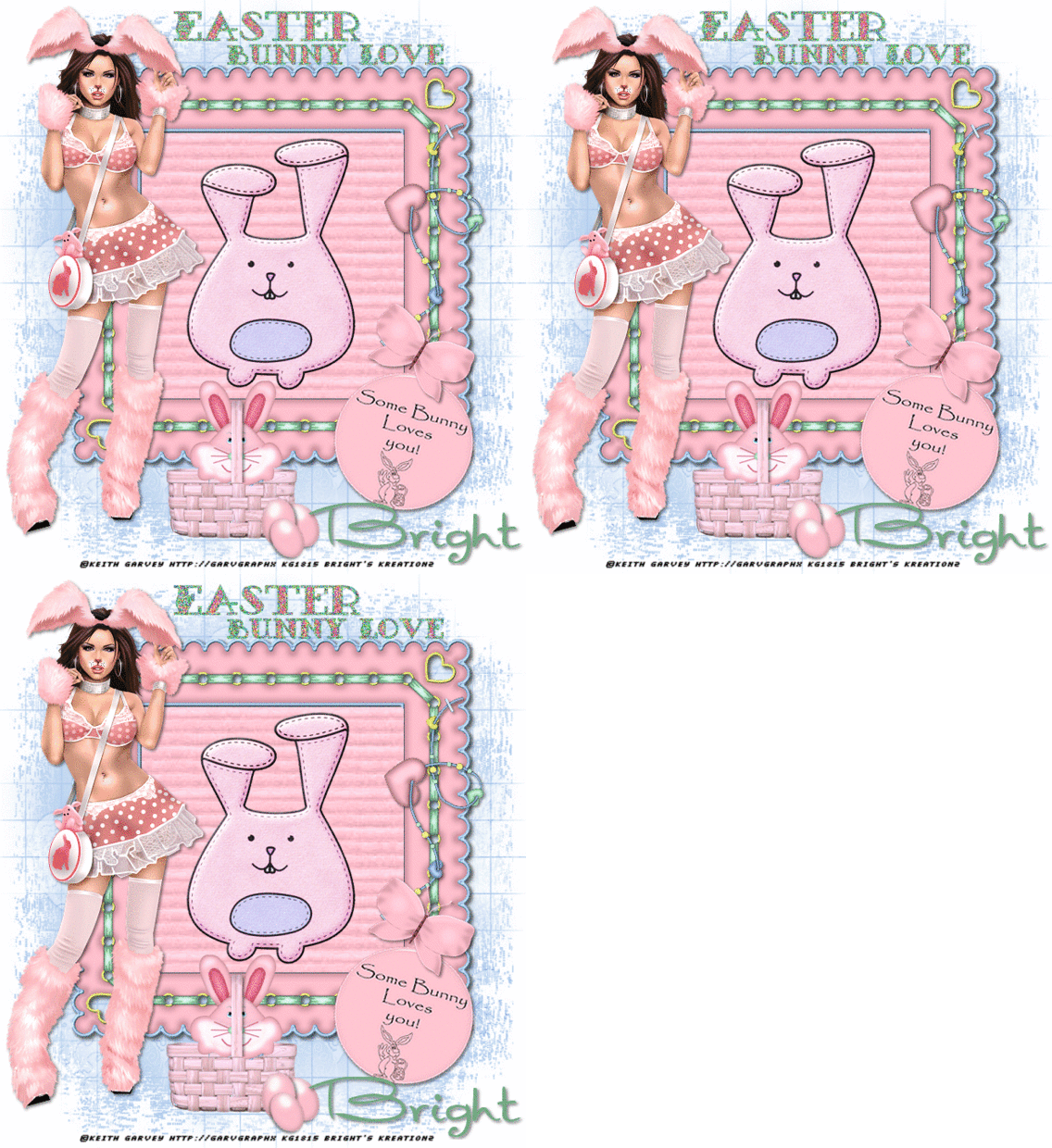
Easter Bunny


Tube of choice   i used Alex_Prihodko.
You need a licence to use this art,you can purchase one HERE.
FTU Spring time kit.Thanks for sharing.HERE.
Montiblindsmask,Thanks Monti for sharing.HERE.
MuRa's Meister copies filter.
Font of choice i used Impact.
Drop shaddow throughtout.1.130.3.
File new 650x650,fill with white.Make gradient from dark and light colour in tube,
Making darker colour linear gradient.Angle45,repeats5.
Fill with this gradient,mask new from image,select and apply mask,merge mask visable.
Copy and paste frame1 as new layer on top center of mask.Magic wand.
Click in center modify exspand by10.Paste paper2 as new layer,
invert,hit delete,drag below frame.  
Type easter,size28 center of tag.convert to layer.
Murah's meister copies,Tiling,just change the gap to2.
Highlight paper layer,select all float.highlight text layer,
invert hit delete. select none,drop shaddow Drag below frame.
Resize tube by35.Paste as new layer to left of frame,unsharpen,drop shaddow.
Resize flower1 by75.Paste as new layer top right of frame,sharpen,drop shaddow,
uplicate place on top bottom of original flower.
Resize Bunny 75.from tube,paste as new layer bottom right of frame,sharpen,drop shaddow.
Copy and paste butterflys as new layer on top right of flowers,Colourize.
Hue.255.saturation.119.Drop shaddow.
Resize flowers2 by60.Paste as new layertop right of frame.Drop shaddow.
Resize scatter by60,paste as new layer bottom left of mask,
Duplicate image flip.drop shaddow.
Add url copyright and licence number.
Add name bottom center of frame,add psp weave,white.Drop shaddow.
Crop if needed and resize 650 pixel width all layers chaecked.
Hope you enjoyed doing my tut,thanks for trying it.


Bunny Luv

 
Tube of choice i used Keith Garvy.
You need a licence to this art,you can purchase one HERE.
FTU Cracking Time kit HERE.Thanks Clare for sharing.
Mask167 HERE.Thanks for sharing.
My wordart.HERE.
Font of choice i used First Impressions.
File 700x750,crop later.Fill with white,new layer fill with paper2.
Mask new from image,select and apply mask,merge mask visable,duplicate,together.
Resize frame3 paste as new layer on top center of mask.
Magic wand,click in center,modify exspand by5.
Fill with paper15 invert delete on keyboard,drag below frame.
Select none,drop shaddow frame.
Copy and paste tube on top left of frame,drop shaddow.
Resize Sew2,paste as new layer inside center of frame,drop shaddow.
Resize Beadstring4,paste as new layer,on top left of frame,drop shaddow.Rotate.
Resize Butterfly3.paste as new layer on top bottom of beadstring.drop shaddow.
Resize Button1 paste as new layer on top bottom of butterfly,drop shaddow.
Resize Basket1,paste as new layer bottm center of frame,drop shaddow.
Resize Bunny cake1,paste as new layer 0n top center of basket
drop shaddow,erase bottom of bunny so it looks like its in the basket,
Use selection tool cut around the handle on the basket,
copy and paste on top of original basket drop shaddow.
Place between the eyes of the bunny.
Resize Easter egg3 paste as new layer on top bottom right of basket
drop shaddow rotate slightly left.duplicate image mirror,
move below original egg,duplicate resize again,place on top bottom
of the other 2 eggs,rotate slightly left.
Open my wordart,paste as new layer top roght of frame.
Add url copyright and licence number.
Add name bottom right of tag,drop shaddow.Crop.
Highlight wordart,Add PSP noise Uniform.set on 70.
edit copy merged,paste in animation shop as new animation.
Back to psp undo noise,add noise set on 80.Edit copy merged,
paste in animation shop after current frame.
Back to psp undo noise,add noise set on 90.Edit copy merged
paste in animation shop after current frame.View animation,save as.
Hope you enjoyed doing my tut, thanks for trying it.


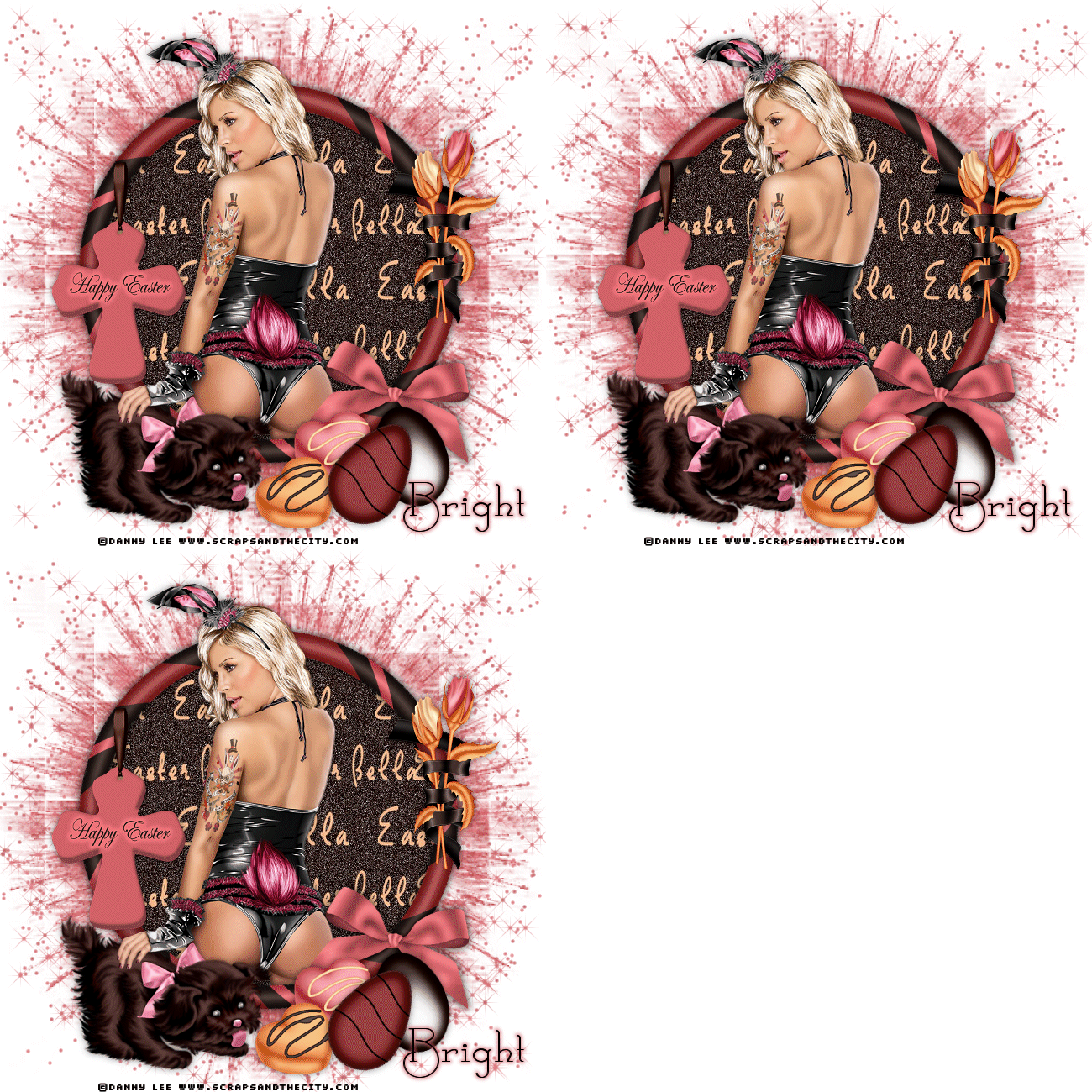
Easter Bella

 
Tube of choice i used DannyLee free tube.click on the picture to 4Shared to download HERE.
FTU Easter Bella by Kimberly.HERE.Thanks for sharing.
Mask 155 HERE.Thank you for sharing.
Plugins.
Eye Candy gradient Glow.
Xenofex2 Constallation.
Font of choice i used Calamity Jane NF.
File new 650x650 fill with white.New layer fill with paper13.
Mask new from image,select and apply mask,merge mask visable.
Resize frame7,paste as new layer on top center of mask.
Magic wand click in center,modify exspand by5,paste paper3 as new layer,
invert delete on keyboard,drag below frame.
Resize tube paste as new layer to bottom of framedelete on keyboard.
Paste tube again on of of original drag to top.drop shaddow.
Erase bottom of legs on tube,drop shaddow frame.
Resize element19 paste as new layer,on top left of frame,drop shaddow.
Resize element30 image mirror,paste as new layer.
On top left bottom of tube,drop shaddow.
Use freehand tool,draw around hand of tube,paste as new layer
on top of dog and original hand.
Resize element20 image mirror,paste as new layer right of dog,drop shaddow.
Resize element5 paste as new layer on top bottom of bow on frame
drop shaddow rotate slightly to left.
Resize element16 paste as new layer on top of chocolates and egg
drop shaddow rotate slightly right.
Use freehand tool draw around left of bow on frame
Resize paste on top of original bow.
Resize element47 paste as new layer on top right of frame,drop shaddow.
Add url and copyright.©Danny Lee www.scrapsandthecity.com, No need to use a licence number.
Add name add EC gradient glow D16268 size4. place to bottom right of tag.
Highlighlight mask layer,effects Xenofex Constallation.
settings from top to bottom.6,25.15.10.10.12.75.Twinkle rotation 45.
keep original image ticked.Random seed 6647.
Edit copy merged,paste in animation shop as new animation.
Back to psp repeat constalltion two times more,hitting random seed once on each layer.
Copy merged these two layers in animation shop after current frame.
View animation,save as.
Hope you enjoyed doing my tut, thanks for trying it.